- 00000018WIA30E12970GYZ
- id_400256511.3
- May 26, 2022 2:02:08 AM
MSDE
MSDE (Motion Sensitized Driven Equilibrium) is a spin echo-based diffusion weighted imaging option played out once per shot to suppress flow in the volume. It ends with a tip-up pulse to return the magnetization to the longitudinal axis (driven equilibrium). MSDE is compatible with Cube.
Use the MSDE Imaging Option for the following:
- Blood flow suppression to see the vessel wall.
- T1 contrast for segmentation of plaque necrotic core, fibrous cap and hemorrhage.
- Fat suppression to distinguish plaque from fat.
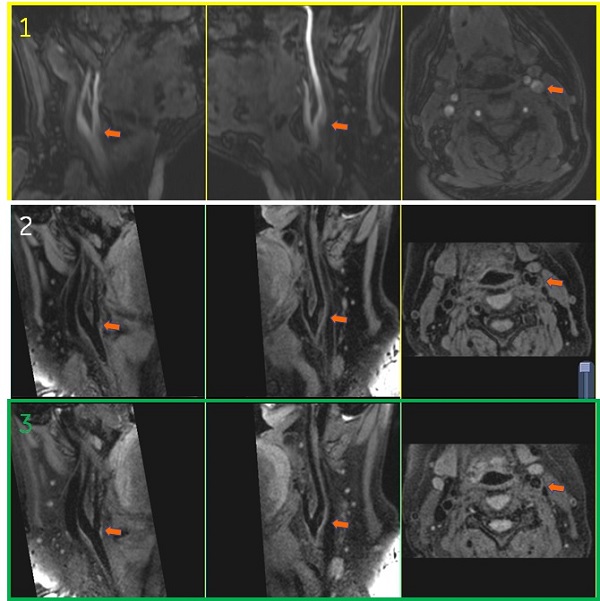
| Rows | Left column | Middle column | Right column |
|---|---|---|---|
| 1 = 3DTOF
2 = Cube 3 = Cube with MSDE (Vessel T1) | Right CCA bifurcation Sagittal reformat | Left CCA bifurcation
Sagittal reformat | CCA bifurcation
Axial reformat |
Consider the comparison of MP-RAGE and Cube with MSDE for T1-weighted acquisitions.
| PSD | Advantage | Disadvantage |
|---|---|---|
| MP-RAGE |
|
|
| 3D Cube with MSDE |
|
|
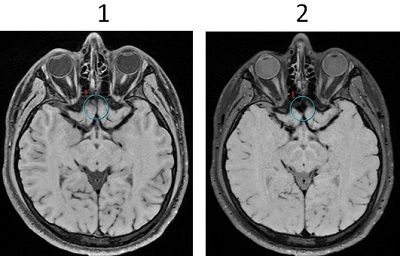
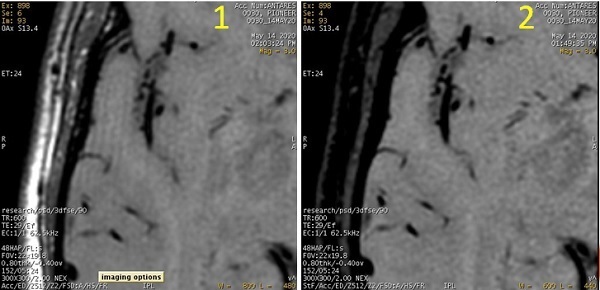
Consider not using MSDE in locally restricted B0 inhomogeneous regions (for example nasal cavity) due to signal suppression.
| Number | Description |
|---|---|
| 1 | MSDE Off and Fast Recovery On. |
| 2 | MSDE On and Fast Recovery Off. Note the signal loss. |
Imaging Options
- Scan time can be reduced with HyperSense.
- Fast Recovery controls CSF signal. De-select Fast recovery to increase signal from CSF.
Figure 3. Images with Fast Recovery on and off 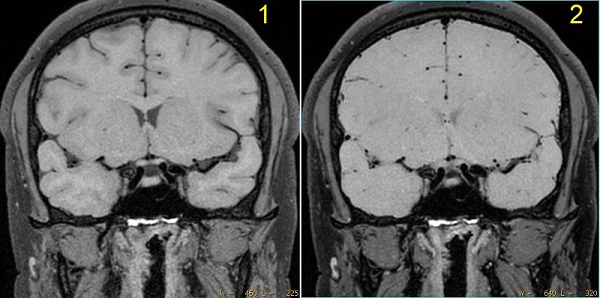
Table 4. Image legend Number Description 1 Cube with MSDE and Fast Recovery OnCV22 = 3, CV29 = 1 2 Cube with MSDE and Fast Recovery Off CV22= 3, CV29= 1
By turning off Fast Recovery, contrast between vessel wall and vessel lumen became high. On the other hand, contrast between white matter, gray matter and CSF became low.
SAT pulses
Fat Saturation is recommended to reduce fat signal related artifact (for example, ringing artifact or motion artifact).
| Number | Description |
|---|---|
| 1 | Cube and MSDE without fat saturation. Note the ringing artifact from surface fat. |
| 2 | Cube and MSDE with fat saturation. Ringing artifact is eliminated. |
MSDE tab
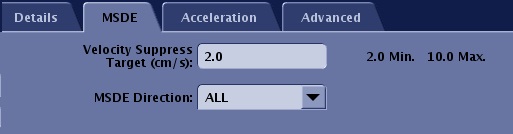
There are two selections from the MSDE tab:
- Velocity Suppress Target (VEST)
- Range is from 2-10 cm/s.
- It is inversely proportional to the gradient strength.
- A lower value is optimum for slow blood flow suppression with the tradeoff of lower SNR and suppressed CSF. Typically, use 2cm/s for brain and carotid scans. To avoid CSF flow suppression, a faster value should be selected.
Figure 6. VEST image comparison 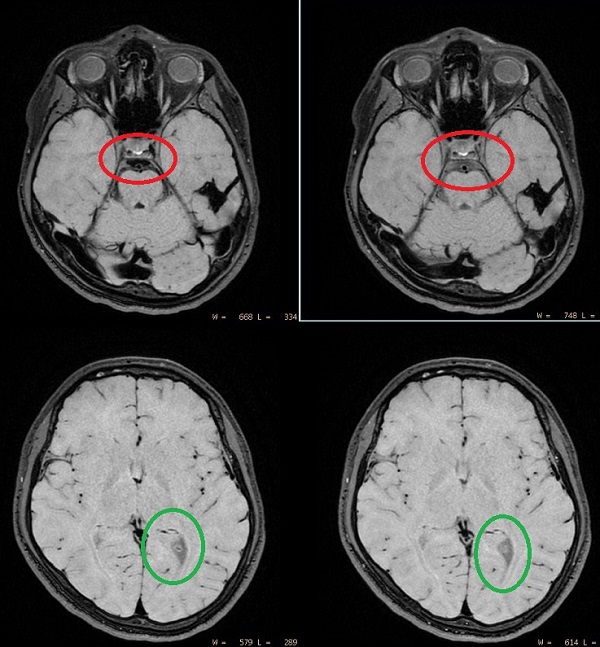
Table 6. Vest image comparison Left images Right images VEST=2cm/s MSDE Direction=ALL
VEST=10cm/s MSDE Direction=SI
Pros (+) of low VEST: Slow blood flow suppression (green) Cons (-) of low VEST: CSF is suppressed if it flows (red)
- MSDE Directions
- R/L, A/P, S/I, ALL
- Select the value in the direction that matches most of the flow. If most of the vessels are randomly distributed, select ALL.
Advanced User CV tab and Fast Recovery Imaging Option
- CV22 Cube Enhance
- Select 3 when acquiring brain T1-weighted images.
- CV29 SAR optimization
- The MSDE RF pulse increases SAR. Select CV29 = 1 to reduce TR.
MSDE Annotation
- It appears on the image in the lower left corner.
Figure 7. MSDE Imaging Option 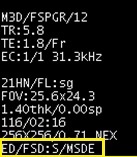
- It is on the Series Text page.
Figure 8. Series text page 
- The MSDE Direction appear in the upper left corner
Figure 9. Example of: VS and MSDE direction 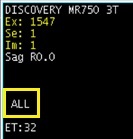
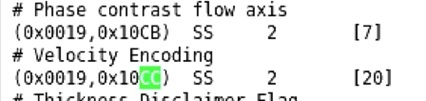
- The Velocity Suppress Target (VS) value is written to DICOM.
Figure 10. Phase contrast DICOM tags used for MSDE