- 00000018WIA3091D770GYZ
- id_400262841.3
- Aug 17, 2022 6:28:17 PM
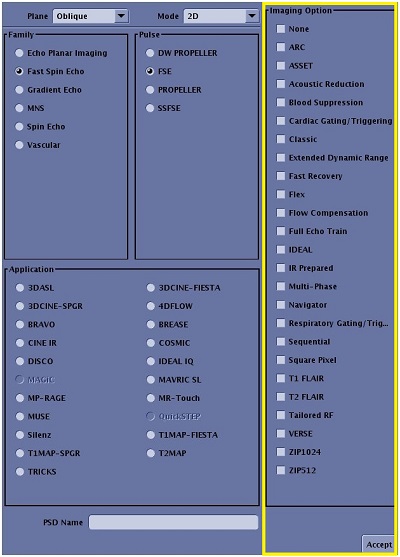
Imaging Options
Imaging options provide additional application functionality or image processing or filters for enhancing anatomical features or reducing noise. They can activate new applications and features, or help you control artifacts, enhance contrast and resolution, and minimize motion.
Some of the Imaging Options are purchasable and, therefore, they only appear on your system as selectable options if they have been purchased.
To view the Imaging Options that are compatible with a selected task, from the Scan Parameters screen, click the Adv (Advanced) button. From the Advanced Parameters screen, click Imaging Options & PSD. The exact content of the Imaging Options & PSD screen varies based on the selected PSD or Application and your system configuration.