

- 00000018WIA3056E770GYZ
- id_400261191.1
- Jan 27, 2022 1:22:45 PM
System Management
The System Management work area allows you to access the Service Desktop Manager, Error Log, Gating, fan and light control, iLINQ, System Preferences, e-Report, etc. You can perform planned maintenance and software performance tests, save raw data, change the system date and time, reorganize protocols, or connect to TiP Virtual Assist from these areas.
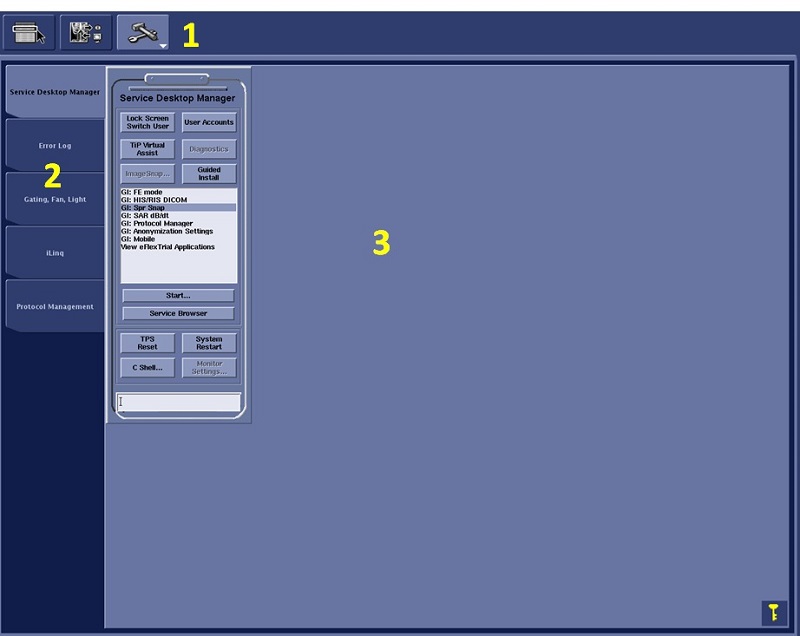
| Number | Description |
|---|---|
| 1 | Tools button |
| 2 | Applications area |
| 3 | Applications work space |