Before you begin
Your GE service representative must setup the connection through Guided Install.About this task
Use this procedure to remotely connect to a Guided Focused Ultrasound system.Step-by-step instructions
- From the screen footer area, click the External Host icon.
Figure 1. External Host icon located in the screen footer area
- From the External Hosts menu, click the desired host.
Figure 2. External Host screen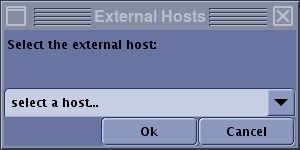
- Only one external host can be connected at any time.
- Click Ok to allow permission for the External host to access the MR system.
- This connection allows the Guided Focus Ultrasound system to remotely control the MR system.

