

- 00000018WIA30607870GYZ
- id_400259521.3
- Feb 11, 2022 10:52:38 AM
Error Log
Throughout the scanning and review sessions, you may see a number of information or error messages. The messages are stored in the Error Log and can be viewed by anyone.
In the error log, you can also add a note for your service engineer, keeping all your questions in one easy to access area.
When you view the Error Log, you will most likely see many more messages than have been displayed during a scan or review session. This is because not every message that is written to the Error Log is one you will see. Your service engineer may look here to see the types of messages and the time messages were posted.
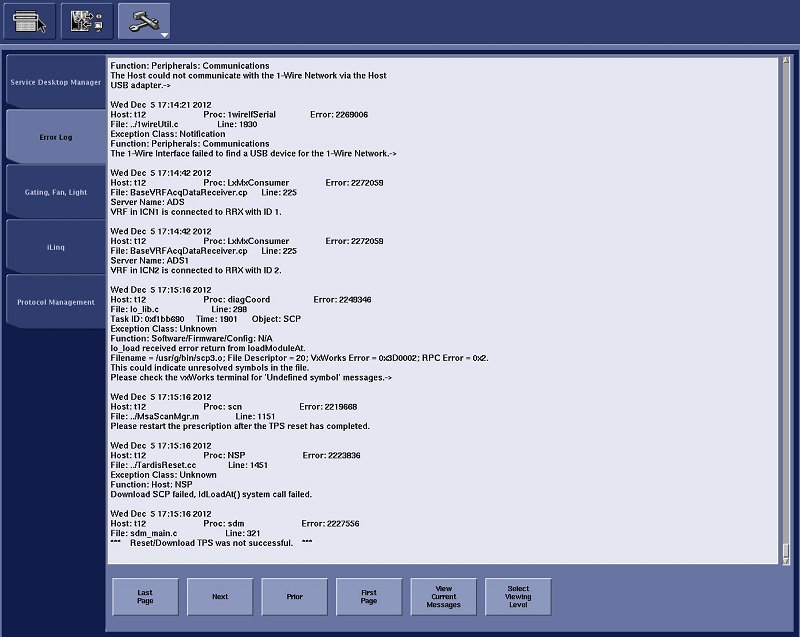
| Screen area | Description |
|---|---|
| Clear | Click to clear the error log. The next error message appears at the top of the log. Subsequent messages are posted beneath the first error message. The most recent error message appears at the bottom of the log. |
| View Log | Click to view the error log history. The most recent error message appears at the bottom of the log. You cannot erase any messages from the log. |
| Update | Click to view new messages as they are posted to the Scan Error log. |
| Notepad | Click to display a Service Notepad window. |
| Last Page | Advances the error log to the last page. |
| Next | Advances the error log to the next page. |
| Prior | Advances the error log to the previous page. |
| First Page | Advances the error log to the first page. |
| View Current Messages | Displays the most recent messages at the top of the error log. |
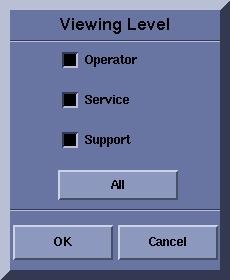
| Viewing level | Select Viewing Level to choose any combination of Operator, Service and Support, or all three levels.
 |