About this task
Use these steps to write a message that will be posted on the Error Log.Step-by-step instructions
- In the header area, click the
 to open the System Management work area.
 - Click the Error Log tab.
- Click View Current Messages.
- On the Scan Error Log screen, click Notepad.
- Verify that the Number Lock keypad is off.
- In the Service Notepad text box, type a message.
Figure 1. Notepad text box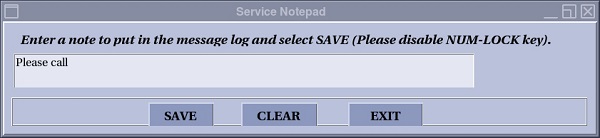
- Click Save to save the message to the error log and close the window.
- Clear erases the message and allows you to write a new message.
- Exit closes the Service Notepad screen without posting your message on the Scan Error Log.

