

- 00000018WIA30694970GYZ
- id_400269361.2
- May 26, 2022 2:59:16 AM
Spatial SAT Level
Use the Spatial SAT Level User CV with 2D MERGE to vary the amount of tissue suppression for spatial SAT pulses.
There are three options for 2D MERGE:
- 0 = Light
- 1 = Medium (Recommended)
- 2 = Strong
To acquire the previous or legacy SAT value, type in the following in the PSD Name text field on the PSD/Imaging Options screen: 2dmerge_classic.

Considerations
- Spatial SAT 1 or 2 may reduce the number of available slices per TR. Consider selecting Auto TR from the TR menu on the Scan parameters screen to optimize the TR for a single acquisition.
- Spatial SAT 1 or 2 may result in reduced signal suppression in areas where the SAT pulses overlap. Therefore, is it recommended that you don't overlap SAT pulses.
Figure 2. Exmaple of: Spatial SAT Level applied to 2D MERGE scan 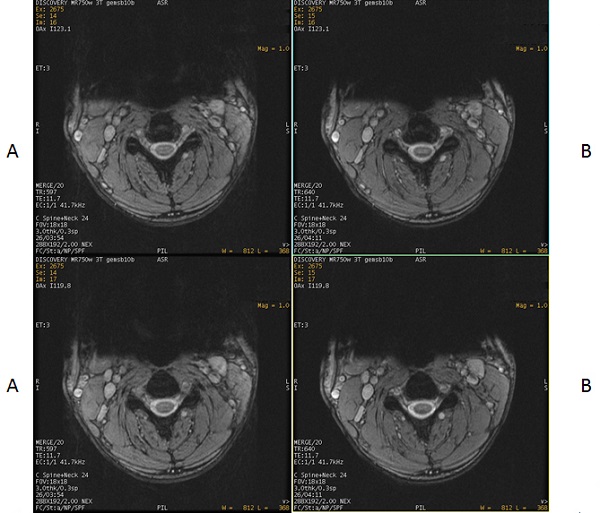
Table 1. Image legend Number Description A Spatial SAT Level Light (0) applied anterior to the cervical spine. B Spatial SAT Level Medium (1) applied anterior to the cervical spine.