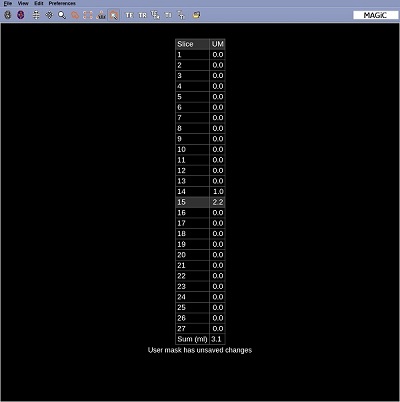
Use the segmentation table to display volumetric information of all the user masks. The total volumes for the whole brain are always shown, and the table can be expanded to show tissue volumes per slice.
Step-by-step instructions
Generate segmentations or user masks.
Place the cursor in a viewport and right-click to view the right-click menu.
From the right-click menu, select Segmentation table.
The table displays the sum from all the User masks for all the slice values.
The Segmentation table is useful if you have created masks of pathology on several slices. The table offers a sum total of all the user masks thus providing a volume of the pathology. Figure 1. Segmentation table
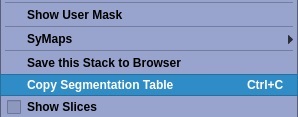
Place the cursor in the table viewport and right-click and select Copy Segmentation Table.
This is available if you can transfer data from your MR system to another non-MR device. Figure 2. Right-click menu from a segmentation table viewport
Click Show Slices to list all slices with values for those images with a mask or segmentation.