- 00000018WIA30FAF870GYZ
- id_400232281.3
- Mar 28, 2022 5:48:06 PM
Slice Resolution %
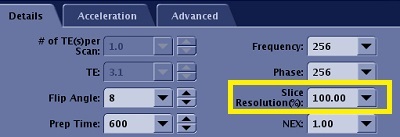
The Slice Resolution % value is used to define the zero-padding on both sides of the kz direction in k-space. For example, when Slice Resolution (%) is set to 50, it is equivalent to the old ZIP x 2 Imaging Option. When Slice Resolution (%) is set to 25, it is equivalent to old ZIP x4 Imaging Option.
Use Slice Resolution % to reduce the number of slice encoding for 3D acquisitions to decrease the scan time. The tradeoff is reduced image resolution.
- The number of reconstructed images does not change. They are determined by the # of Slice per Slab and # of slabs.
- Type and enter a value in the text field (range options are from 25-100%) or select a value from the menu.
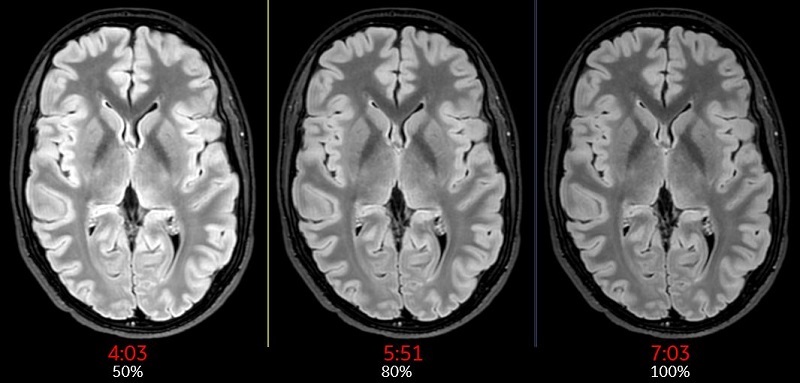
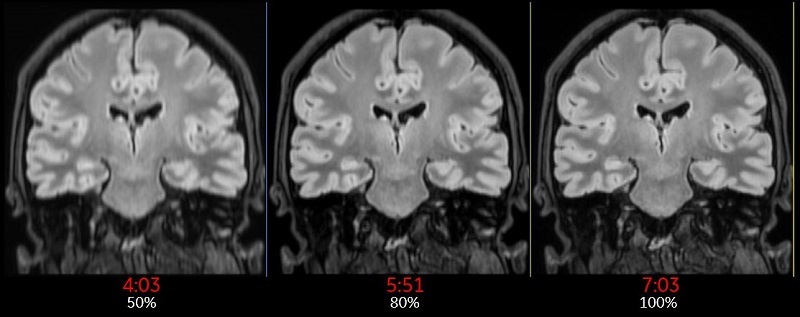
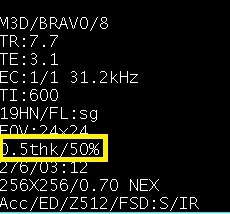
Slice Resolution% is annotated next to the Slice thickness annotation in the lower left corner of the image.