

- 00000018WIA3031E770GYZ
- id_400240131.4
- Mar 30, 2022 10:13:57 AM
Film/Save tab
Open the Viewer. From the Viewer control panel, click the Film/Save tab.
Note: The Spine icon is currently not available.
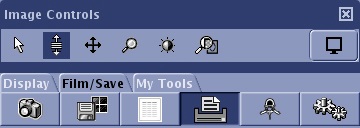
| Icons | Description |
|---|---|
 | Screen Save image |
 | Save state |
 | Text Page |
 | Print or film screen |
 | Change annotation level |