About this task
Use these steps to invert the image appearance.Step-by-step instructions
- Open the Viewer.
- Use these steps to invert the image using the Window Width and Level icon.
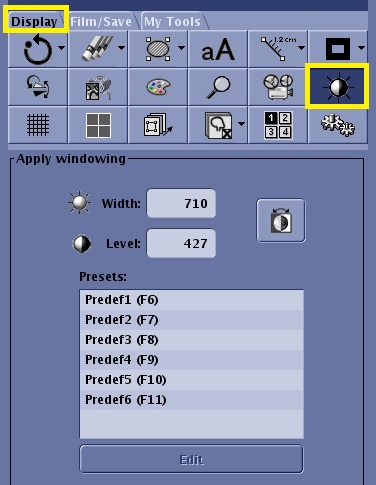
- From the Display tab, click the Window Width and Level icon to open the Apply windowing panel.
Figure 1. W/L icon and panel on the Display tab
- In the Apply windowing panel, click the Invert icon (
 ).
).The invert icon is a toggle. Click it again to reset it.
- Use these steps to invert the image using the Command Line.
- In the Command Line, type invert.
- Type invert again to reset the images.