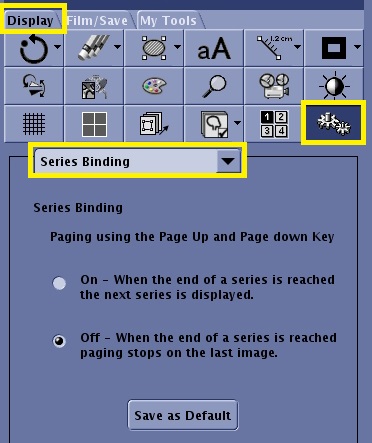
Figure 1. Tools icon and Series Binding selected on the Display tab
Select Series Binding from the Tools pull-down menu.
Select ON or OFF.
With Series Binding on, you can click Image + or press Page Down after the last slice in the series to display the first slice of the next series.
With Series Binding off, you can click Image + or press Page Down after the last slice in the series to display the last slice in the same series. It does not automatically advance to the next series.
Click Save as Default to permanently save the selections.