

- 00000018WIA30D0E770GYZ
- id_400255881.4
- Mar 25, 2022 4:59:00 PM
Link or unlink viewports
Step-by-step instructions
- From the Image Controls panel, click the link or unlink viewports icon to unlink the series.
Figure 1. Link or unlink viewports icon 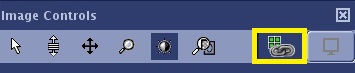
From the keyboard, press Page Up and Page Down to page through an individual series.