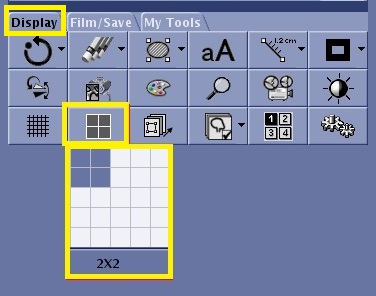
Object ID: 00000018WIA30ADD770GYZTopic ID: id_40026798 Version: 1.3Date: Mar 28, 2022 11:40:34 AMFormat About this taskUse these steps to change the display format of the viewports to display more or fewer images within the Viewer.Step-by-step instructionsOpen the Viewer.From the Display tab, click the Format icon. Figure 1. Format icon and menu on the Display tab Roll the cursor over the format display to view the available formats.Click to select the desired format.