Use these steps to return an image to its original state.
Step-by-step instructions
Open the Viewer.
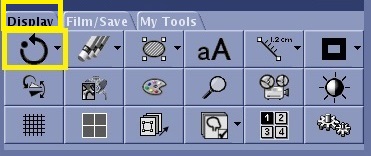
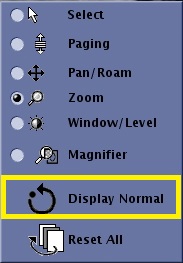
To return an image to its original image state can be done from either of the following locations. Display Normal removes the following display features:
Magnification or zoom
Image orientation
Figure 1. Display Normal icon on the Display tab
Figure 2. Display Normal icon on the right-click on-view menu
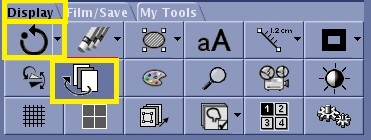
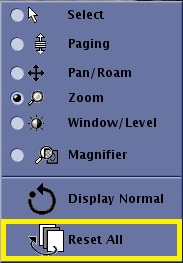
To resets all images within the series to their original state, can be done from either of the following locations. Reset All removes the following display features:
Flip/Rotate
Magnification or zoom
Image Enhance (filters)
Scroll or pan
Color
Figure 3. Reset All icon on the Display tab
Figure 4. Reset All icon on the right-click on-view menu