Consider this information when using the Cross Reference tool.
Cross-reference lines are lines marked on an image that represent where one series intersects another plane.
Cross-reference is used during filming or viewing to provide an anatomical reference to the images acquired on an intersecting plane.
You can cross reference an entire series, the first and last image of a series, a single image, or a range of images within a series by using type-in commands.
About this task
Use these steps to add cross-reference lines to an image.
Step-by-step instructions
Open the Viewer.
Click the viewport in which you want to post the additional cross-reference scan line.
To add cross reference lines to an image that already has cross reference lines displayed, in the Command Line, type and enter xra followed by the series number and the slice or range of slices you want to add. For example, to add slices 10-16 from series 3, type and enter: xra 3 10-16
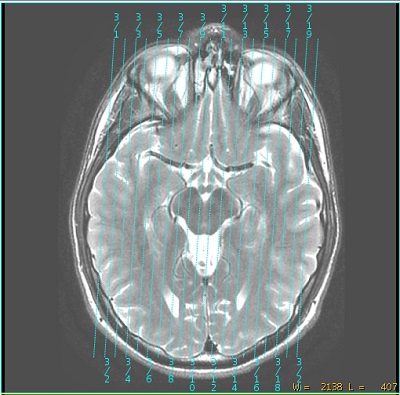
To place all slice locations in a series, in the Command Line, type and enter the xr command followed by the series number, for example: xr 2
Figure 1. All slices added
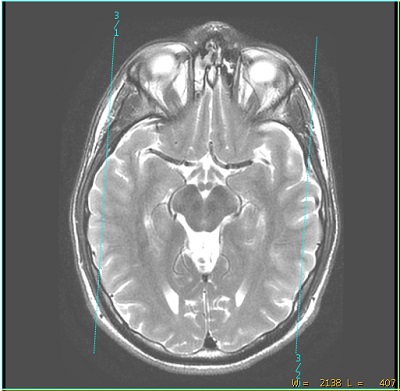
To place the first and last slice in a series, in the Command Line, type and enter the xr command followed by the series number and extrema, for example: xr 2 extrema
Figure 2. First and last slice added
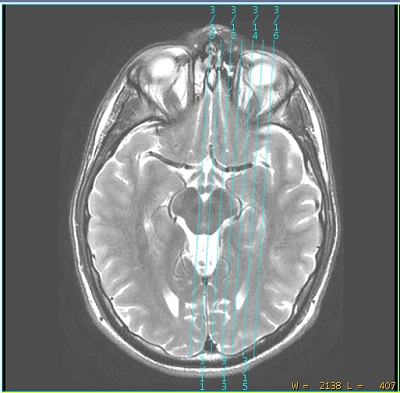
To place a slice range in the series, in the Command Line, type and enter the xr followed by the first image-last image. For example: xr 2 1-6
Figure 3. Slice range added
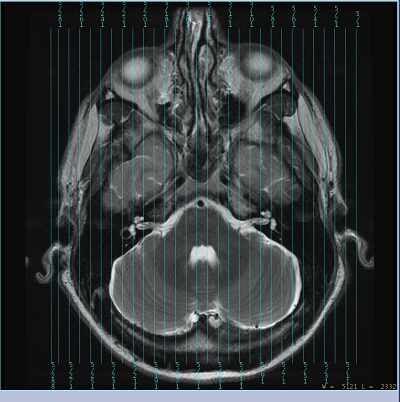
To place lines on interval or even/odd slice locations in a series, in the Command Line, type and enter xr followed by the series number, colon symbol (:) and the interval. For example, to display every tenth slice from series 5, type and enter: xr 5 :10
Figure 4. Slice interval
To delete deposited Cross Reference lines on an image, in the Command line, type and enter noxr.