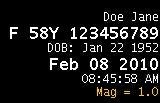
Use these steps to change the font size of the patient name, ID, accession number or scan date for image viewing or filming the image. The change in font size is notable as the format size gets larger. For example, the font size is unchanged when viewing a 1 x 1 image format. Change the format to 2 x 2, and the font is noticeably larger for the selected parameters.Figure 1. Example of large font for patient ID and Scan Date
Step-by-step instructions
Open the Viewer.
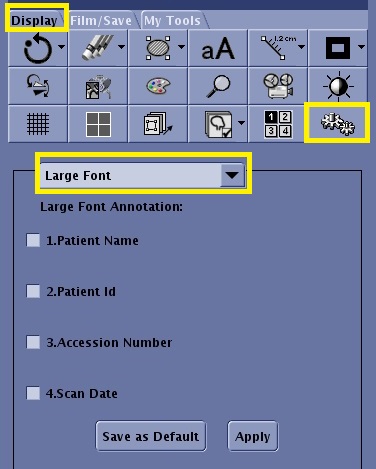
From the Display tab or the Film/Save tab, click the Tools icon.
Figure 2. Tools icon on the Display tab
From the Settings menu, select Large Font.
From the Large font panel, click each option box for the fields you want larger.
Click Apply.
Click Save as Default to save the annotation size across reboots.