

- 00000018WIA3030D770GYZ
- id_400262231.2
- Feb 24, 2022 8:57:41 PM
Scan/Task controls panel
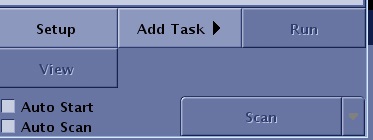
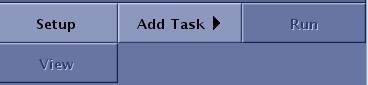
The Scan/Task Control panel is used to control scan and Workflow Manager tasks.
| Button | Description |
|---|---|
| Setup | With Setup, the following actions occur to the series that is currently selected in the Workflow Manager list:
|
| Add Task | There are two tasks that can be added to the Workflow Manager list:
|
| Run/ Stop/ Resume |
|
| View | View launches the Viewer when the series is in a Done state |

| Button | Description |
|---|---|
| Auto Start | For details, see Scan AutoStart. |
| AutoScan | For details, see Scan with AutoScan. |
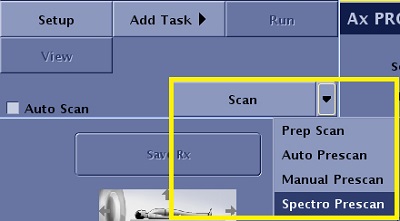
| Scan menu | The Scan menu displays multiple options based on the selected PSD. Scan initiates the scan with a Smart Prescan that uses prescan values from previous series within the exam. Alternatively, click Auto Prescan to run a full auto prescan that automatically adjusts Center Frequency, Transmit Gain, and Receive Gain without reusing previous prescan values. It also performs a calibration scan, when needed, based on the task's Imaging Options or filters (ASSET, SCENIC, etc.).
Prep Scan is used to eliminate the lapse in time between the moment you click Scan and the moment the system begins scanning. It is useful for breath-hold examinations. Prep Scan can be selected after Auto or Manual Prescan have been selected and before Scan. Auto Prescan automatically adjusts the center frequency and the transmit and receive gains.
Manual prescan allows you to manually adjust the center frequency, transmit and receive gains.
Spectro Prescan opens the Spectroscopy Prescan screen.
|