

- 00000018WIA304F9870GYZ
- id_400220271.2
- Feb 8, 2022 2:52:27 PM
Restore backed-up protocols
About this task
Use these steps if the protocols you received from the Cloud to the scanner are not acceptable. You can restore a selected set of backup protocols.
Step-by-step instructions
- From the Configuration tab of the Service browser, click Imaging Protocol Manager (IPM).
Figure 1. Restore Protocols tab 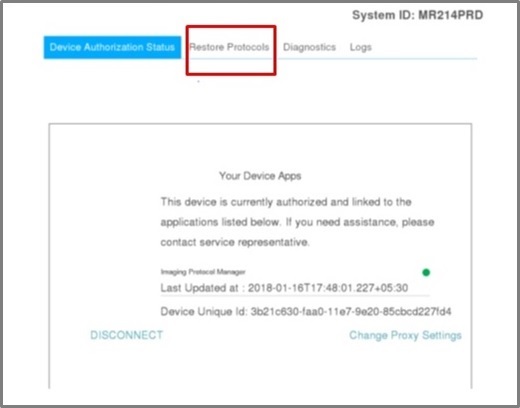
- From the Imaging Protocol Manager tab, click the Restore Protocols tab and complete the following:
Figure 2. Restore Protocol tab 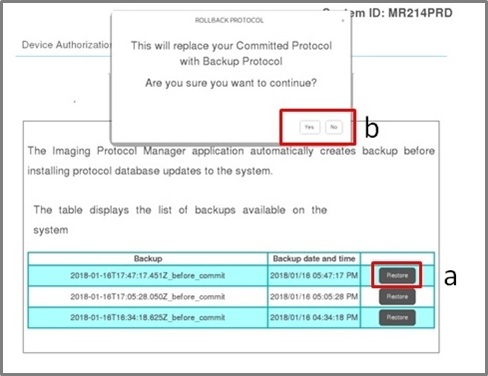
- Select one of the available backup protocols and click Restore.
- Click Yes to the pop-up message and the
 appears as the restoration continues.
 - A successful message appears below the list of restore options once the restoration is completed.