

- 00000018WIA30EE9870GYZ
- id_400239631.3
- Feb 8, 2022 2:08:52 PM
Open the Service browser
About this task
Step-by-step instructions
- Open the Service browser from Service Desktop Manager.
Figure 1. Service Desktop Manager screen 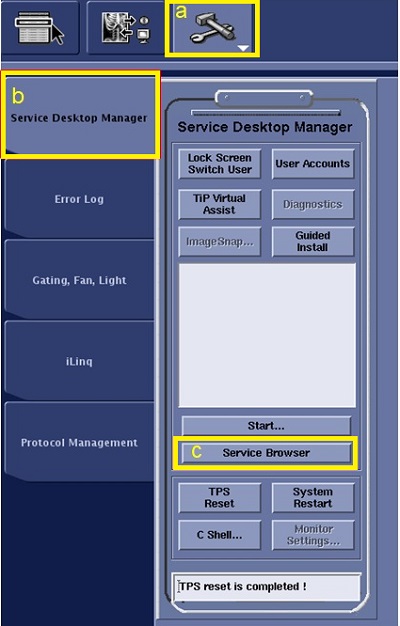
- From the header area, click the Tools icon.
- Click the Service desktop Manager tab.
- Click Service Browser.