- 00000018WIA30C95970GYZ
- id_400244061.2
- Mar 16, 2022 12:53:45 PM
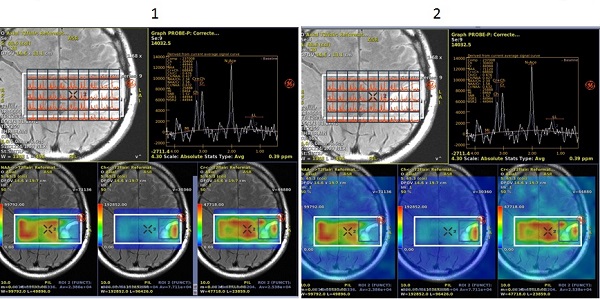
Display maps on whole image
About this task
Use these steps to toggle the metabolite maps on/off from the entire image or just around the Pressbox.
Step-by-step instructions
- From the Spectroscopy screen, click the
 .
. - From the Display tab, click Display maps on the whole image option on or off.
Figure 1. Display tab 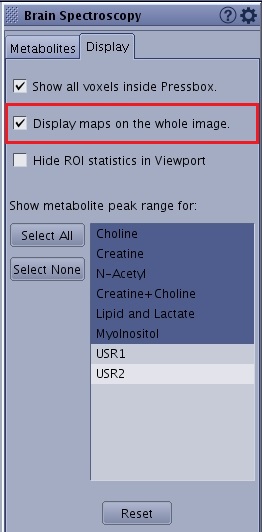
Figure 2. Display Maps on the Whole Image: 1 = deselected, 2 = selected