

- 00000018WIA30804970GYZ
- id_400228211.3
- Aug 20, 2022 12:18:38 PM
3D FIESTA-C scan
The FIESTA-C sequence is similar to 3D FIESTA in that it is a fully balanced steady-state coherent imaging pulse sequence designed to produce high SNR images at very short TRs. FIESTA-C acquires multiple images with a cycling of the RF phase to reduce banding artifacts and improve image homogeneity.
FIESTA-C can be used in any clinical application that calls for relatively high spatial resolution and contrast between tissues of low T2/T1 ratio (low signal intensity) and high T2/T1 ratio (high signal intensity), for example inter-vertebral discs, hydrocephalus obstructions, biliary tree dilatation, cholangio-pancreatography, and IAC applications. Fluid, in particular, appears very bright and grey/white matter contrast is poor.Use FIESTA-C when the TR is > 4 to 5 ms or when dark bands appear on a 3D FIESTA image.
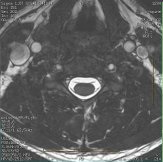
Consider this information when modifying 3D FIESTA-C scan parameters. For specific scan parameter values, select a protocol from your GE or Site library.
- Scan selections: 3D Mode, Gradient Echo family, Fiesta-C pulse.
General considerations
- FIESTA-C is twice as long or more as a 3D FIESTA acquisition due to the phase cycling acquisition method.
- Excessive patient motion with a 3D FIESTA-C acquisition may result in image smearing or mottling. This is due to the phase cycling technique used with FIESTA-C that is particularly sensitive to patient motion. To minimize the mottled effect, consider using the default frequency direction and therefore do not swap phase and frequency.
Scan parameters
- TR: It is not a selectable scan parameter for FIESTA-C. The minimum TR is displayed in the Min column placed next to the TR text box.
- FIESTA-C is designed to reduce banding artifact in acquisitions with TR > 4 to 5 ms. If the TR is < 4 ms, then FIESTA can be used. The following scan parameter changes increase the minimum TE, which increases the minimum TR:
- decrease FOV
- decrease Slice Thickness
- increase Slices per Slab
- increase matrix values
- Adjusting these scan parameters to produce higher resolution images can result in a TR > 4 to 5 ms.
User CVs
Click the Advance tab to view the available User CVs. The CVs may vary based on the field strength and selected scan and imaging parameters.
Post-process tasks
There are multiple compatible post-process tasks. For details, see Add post-process task.
- Maximum Intensity Projection
- Multi Planar Reconstruction
- Image Enhancement Filters
- Pasting