

- 00000018WIA309D0970GYZ
- id_400230141.3
- Mar 25, 2022 4:54:27 PM
DICOM header
About this task
Use these steps to open a DICOM header screen in a floating Mozilla window (an html browser). The browser displays all image DICOM header information, including the DICOM tag, value, and description.
Considerations: DICOM header information about heart cycle
For 3DCINE-SPGR 3DCINE-FIESTA, 4DFLOW and 2D FastCINE including 2D PC FastCINE scans, the DICOM header contains information about the cardiac cycle variations during scan. This allows a better understanding of the heart rate variation of the patient during the scan and can be used to better interpret the results.
- The heart rate and nominal interval DICOM tags (0018,1088 and 0018,1062) show the mean heart rate/nominal interval during the scan.
- Additionally, the minimum RR interval, the maximum RR interval, the number of rejected segments due to detected arrhythmia, and the total number of acquired segments during the scan, also are included in the DICOM header (Tags: 0018,1081- 0018,1082- 0018, 1084- 0018,1083, respectively).
Step-by-step instructions
- From the header area of the screen, click the
 to open the Image Management work area.
 - Click .
Figure 1. Image Header on Tools menu 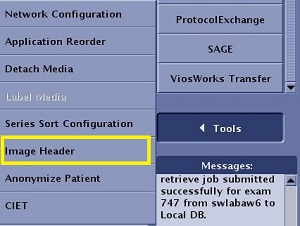
- A Mozilla browser opens with the DICOM header information.
Figure 2. Example of a Mozilla browser: DICOM header screen 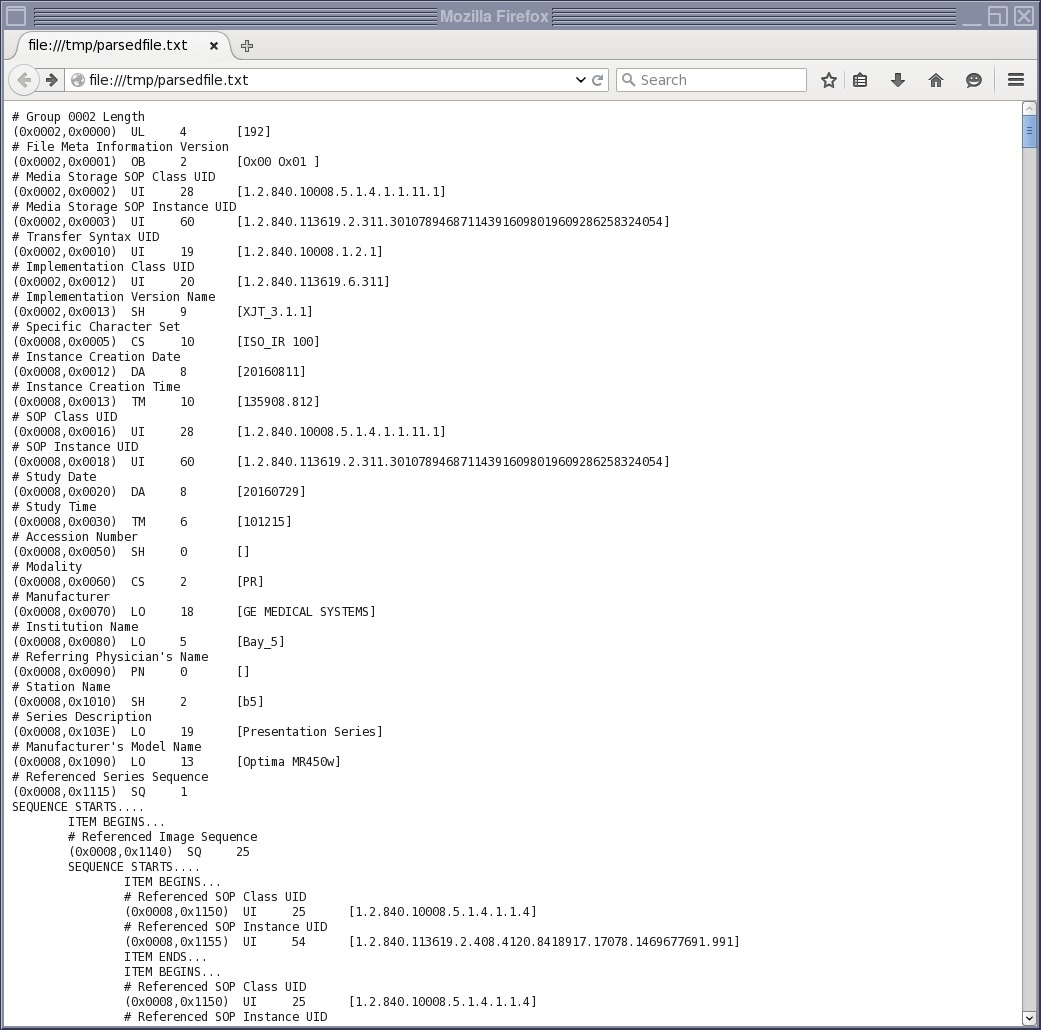
- A Mozilla browser opens with the DICOM header information.