- 00000018WIA30829870GYZ
- id_400220991.2
- Feb 7, 2022 2:27:23 PM
Delete a language
About this task
Step-by-step instructions
- From the Tools menu, select Preferences to open the System Preferences screen.
Figure 1. Tools menu 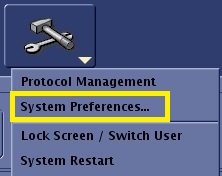
- From the System Preferences screen, click Auto Voice... to open the AutoVoice Management Tool screen.
Figure 2. Top area of System Preferences screen 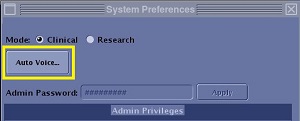
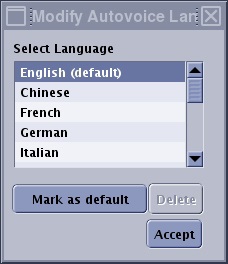
- From the Modify AutoVoice Language screen, select the language you want to remove from the list.
Figure 3. Modify AutoVoice Language screen