Use these steps to create a protocol with AutoStart enabled.
Step-by-step instructions
From the header area of the screen, click the .
From the Tools desktop, click the Protocol Management tab to open the System Management Protocol screen.
Click the desired anatomical region tab and filters, and then click the protocol.
Click Edit Protocol or Duplicate.
In the Workflow Manager, select AutoStart.
Prescribe all other scan parameters.
From the Workflow Manager menu bar, click Exam > Save as Protocol.
Complete all fields on the Protocol Properties screen.
Click Save to save the protocol and close the protocol session.
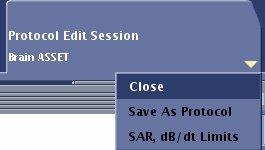
Note: To close the protocol session without saving the protocol, click Close from the protocol session tab arrow and click OK to close without saving changes.


 .
.