About this task
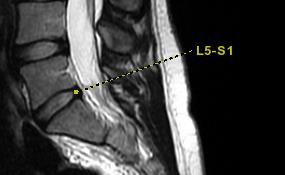
Use these steps to add annotation with a pointer or line.Step-by-step instructions
- Open the MR General Review.
- From the Measure/Annotate Toolbar, click the Linked Annotation icon (
 ).
). - Click the viewport in which you want to deposit annotation with a line.
Linked annotation can only be applied to axial, coronal, sagittal, and oblique views. It is not allowed on 3D views.
- Place your cursor in the text box and type the desired annotation.
- Click the end of the line to change the line's length and orientation.
Figure 1. Example of an image with linked annotation