- 00000018WIA30E3A970GYZ
- id_400255411.3
- Mar 22, 2022 12:43:10 PM
Protocol Subtraction
About this task
Use the Subtraction protocol with any multi-phase data set. Subtraction is a review step in the MR Breast protocol.
The first phase is the baseline and each phase after that is subtracted from the base phase.
Step-by-step instructions
- If a different Phase baseline is desired, select one of the following.
- In the upper left corner of the viewport, click the yellow active Phase to display a Phase menu. Select a phase from the menu.
Figure 1. Phase menu 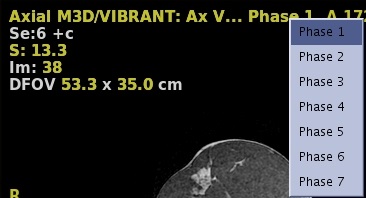
- From the lower right corner of the viewport, click left/right on the active rank value to increase or decrease the Phase selection.
Figure 2. Rank menu 
- In the upper left corner of the viewport, click the yellow active Phase to display a Phase menu. Select a phase from the menu.
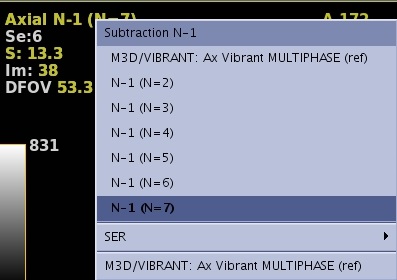
- Click the yellow phase annotation and select any subtracted two phases (first phase – n phase) from the menu.
Figure 3. Yellow phase annotation in upper left corner of viewport