Use these steps to open a different series from an existing Review Step. This procedure applies to all functional series (e.g., DWI, ASL, DTI, etc.) except for 2D and 3D CSI Spectroscopy series. This procedure also applies to multi-parametric protocols (MR Brain).
Step-by-step instructions
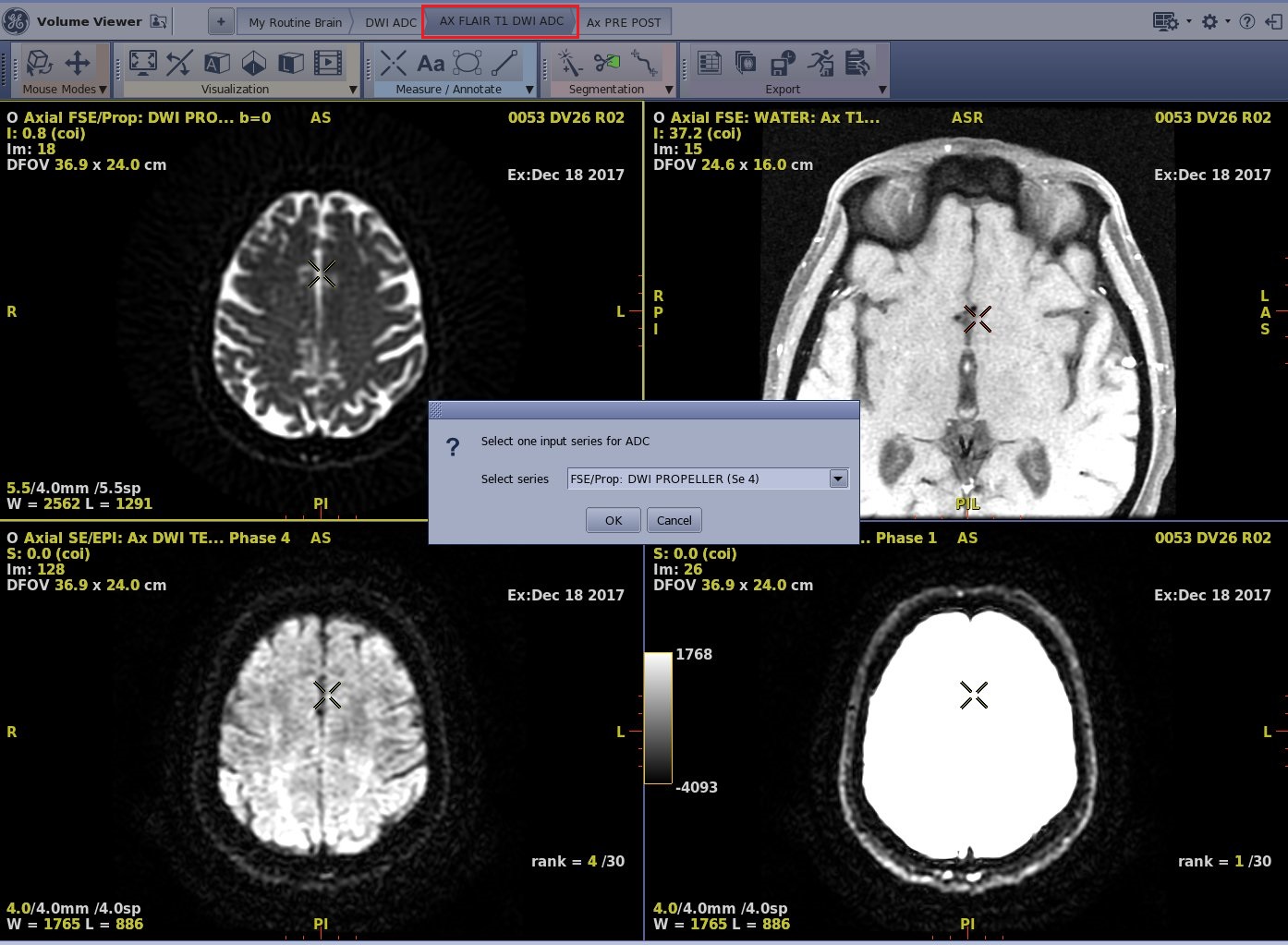
From the List of Review Steps bar, click a Review Step that you know has multiple series that can be processed with the Review Step, in this example: Axial DWI series.
Figure 1. In this example, the Review Step is an axial DWI series
In this example, there are multiple DWI series within the exam that can be processed with this Review Step. Follow these steps.
From the Select Series screen, click the arrow and select the desired series from the menu. The menu displays the list of compatible series for the Review Step.
Click OK.
The new series is loaded into the Review Step.
Note: You can click the same Review Step multiple times and select a unique series each time from the Select Series menu.