

- 00000018WIA3040F770GYZ
- id_400269331.2
- Mar 9, 2022 5:18:31 PM
Open the Protocol selection work area
About this task
Use these steps to access the Protocol Selection screen:
Step-by-step instructions
Open the Volume Viewer.
- Click the
 from the Review Steps area, to open/close the Add a Review Step screen.
Figure 1. Add a Review Step screen 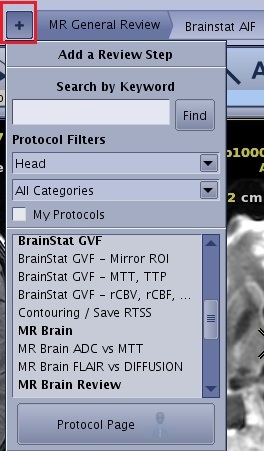
- There are two filters that modify the list of protocols: by anatomy and by category.
- My Protocols option, only displays the protocol layouts you defined.
 displays all the protocols.
- Rather than re-launching the same protocol from the Protocol screen, to return to the to the currently active application, click Back to the application,
- The Back to application button only appears if you have a MR General Review application open and have navigated to the Protocol screen.
Figure 2. Back to application located in upper right corner of the Protocol screen 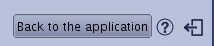
- The Back to application button only appears if you have a MR General Review application open and have navigated to the Protocol screen.