About this task
Use these steps to verify the TI time for an IR PSD, which can vary from one patient to the next.Step-by-step instructions
- Click .
- Click to open the Display RSPs screen.
Figure 1. Display RSPs screen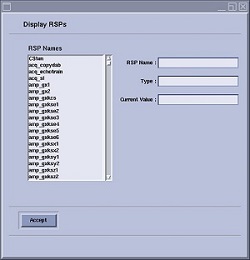
- In the RSP-Name text box, type tislice.
- In the Current Value text box, review the images by entering the slice number. Find the image with the largest fat peak.
- In the RSP-Name text box, type titime.
- Note the suppression level of the signal at the default TI time.
- In the Current Value text box, enter new TI values above and below the TI value programmed in the sequence to see if the signal is better suppressed.
The value range is 50 to 300 ms.
- Note the TI time value that best suppresses fat.
- Click Accept.
- From the Manual Prescan screen, click Done.
- In the Workflow Manager, right-click and copy/paste the IRseries.
- Click Setup.
- Change the TI value to the value noted in Manual Prescan.
- Click .

