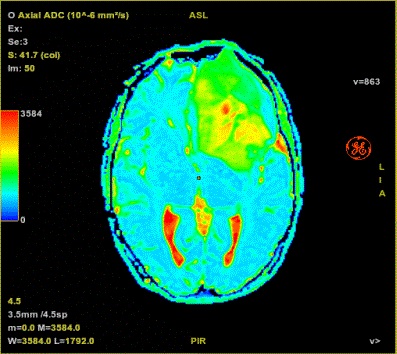
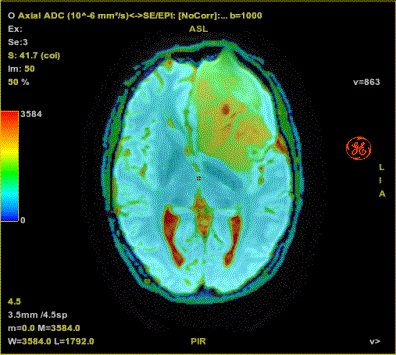
Use these steps to set a minimum and maximum threshold to visualize a particular anatomy or pathology and then overlay it on another image or map. Clip Min & Max values is available for most protocol screens.
Step-by-step instructions
From the appropriate application screen, click the Clip Min & Max Values arrow.
From the menu, select the map for which you want to define a threshold (for example, ADC).
In one of the viewports, from the yellow annotation, select the same map as selected from the menu in step 2.
From the Clip Min & Max parameter values area, adjust the upper and lower threshold to the visualize the anatomy/pathology of interest.
Figure 1. Example of ADC (10-6 mm2/s)
Fuse the segmented image to an anatomy or any other image. For details, see Fuse images/maps.
Figure 2. Segmented threshold image fused with anatomical image
If desired, select Shared Segmentation to propagate the segmentation to all other maps.