- 00000018WIA3050E870GYZ
- id_400218961.3
- May 22, 2022 11:24:51 AM
Right coronary artery
About this task
Step-by-step instructions
- On a sagittal localizer, prescribe and acquire an ungated 2D FIESTA series of axial scans covering the root of the vessels to the apex.
Figure 1. Sagittal localizer with axial prescription (left), axial view from sagittal localizer (right) 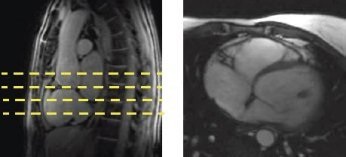
- Prescribe an oblique coronal through the right ventricle.
- Identify the atrio-ventricular groove of the RCA.
- Prescribe a single oblique coronal slice through the right ventricle, perpendicular to the A-V groove using a gated 2D FIESTA or a 2D FastCine with FatSAT sequence.
- Click Save and Scan.
Figure 2. Axial localizer with oblique prescription line (left), oblique coronal of right ventricle (right) 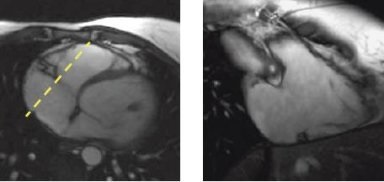
- Prescribe the RCA images using one of the following sequences:
- 2D FastCine Fat SAT (bright blood)
- 2D SPIRAL FSPGR (bright blood)
- 3D FIESTA Fat SAT (bright blood), T2 Prep (3D Heart option for 1.5T systems)
- Adjust the trigger delay on the Cardiac tab to capture the diastolic phase (typically 350 to 450 msec.).
- Use FSE Double IR (dark blood) for congenital abnormality cases.
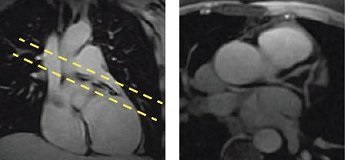
Figure 3. Coronal localizer with prescription (left), LCA (right)