Use these steps to define the scan parameters you want included in the Protocol Exchange report.
Step-by-step instructions
Open Protocol Exchange.
From the Protocol Exchange screen, click Preferences to view the Preferences screen.
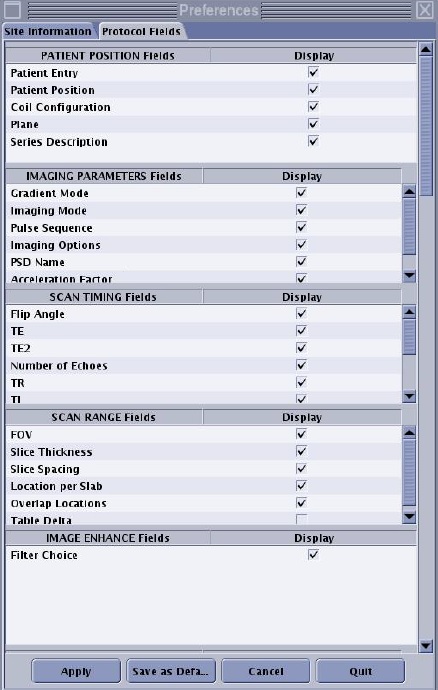
Click the Protocol Fields tab.
Figure 1. A box with a check indicates that the field appears on the report
Scroll down the screen and select the fields you want displayed on the report.
The default preference template is provided, but you can add or remove fields as desired.
Click Save as Default to use these values for all future protocol exchanges, Apply to use these changes only for the current session, Cancel to ignore the changes made, or Quit to close the window.