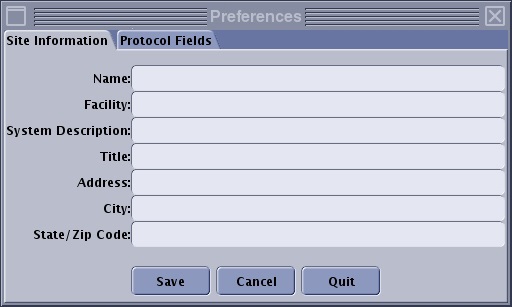
Use these steps to add or modify your site information that appears on the protocol report.
Step-by-step instructions
Open Protocol Exchange.
From the Protocol Exchange screen, click Preferences.
Click the Site Information tab.
Figure 1. Site Information tab
Enter the information you want printed on the top of each page.
You can leave any or all fields blank.
The Site Information appears on at the top of all protocol reports; therefore, typically do not use these fields to enter specific information about a single series protocol.