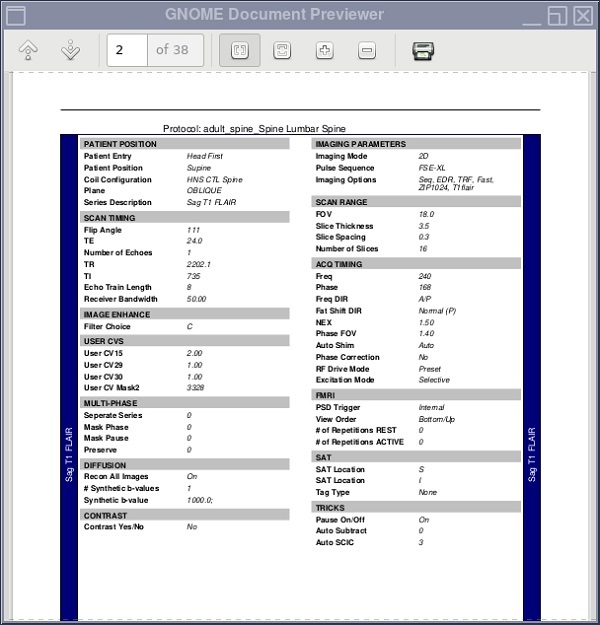
The protocol report is created and saved with the protocol. The report gives you a way to quickly see what parameters have been saved and the values associated with the parameters. If the site information has been entered, you can also see the name of the site that originally exported the protocol. If the protocols have been saved to a CD, DVD, or USB device, you can view the protocol information on any personal computer.
Step-by-step instructions
Open Protocol Exchange.
Select a protocol or series from the protocol selection (right) side of the Protocol Exchange screen and click Preview.
A status message in the bottom panel indicates a report is being generated.
If needed, click the top of the report to place Protocol Exchange screen behind the preview report.
The report, based on your protocol exchange preferences, is generated in an HTML and PDF format.
Click the preview report title bar to bring the report forward if it is behind any other screen.
You can only save a copy of the original. Figure 1. Sample of a Protocol Exchange report
Optional - print from the scanner. If you have a postscript printer connected to your MR system, from the File menu, click the Print icon.
When finished previewing the report, from the menu bar, click Quit.