About this task
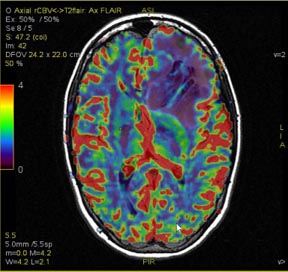
Use these steps to fuse two images. The following fuse actions are allowed:- Fuse a source image to a map.
- Fuse a map to a source image.
- Fuse one map to another map.
- Fuse any two planes.
Step-by-step instructions
- With the mouse in Select mode (
 ), click an image and drag it over another image and drop it in the "Drop here to mix the views" box.
- Fusion mode feature is only available with the mouse mode in Select mode.
- Mouse mode is selected from the Mouse mode toolbar. Figure 1. Example of source and map images fused
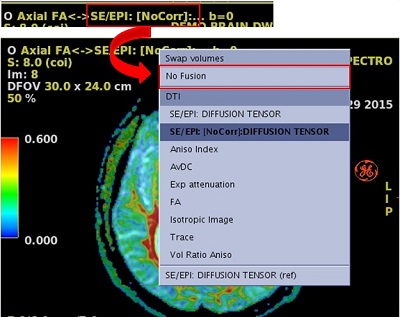
- To remove the fusion from an image, click the volume name annotation (the content that is to the far right) and select No Fusion from the menu.
Figure 2. No Fusion option on menu