

- 00000018WIA30F59870GYZ
- id_400218141.5
- Aug 12, 2022 3:30:48 PM
Fat/Water in Prescan
About this task
Note: Typically, it is not necessary to use MPS to adjust the CSA and CSF for Spin Echo and Fast Spin Echo sequences. The improved auto prescan that is applied when Fat SAT is turned on in the Scan Parameters area minimizes the need to perform a manual prescan fat/water saturation check.
Step-by-step instructions
- In the Workflow Manager control panel, click the .
Figure 1. Scan menu 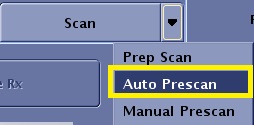
- At completion, note the results, especially any accompanying messages referring to CF peak selection.
- Click to view the Display RSPs screen.
Figure 2. Display RSPs screen 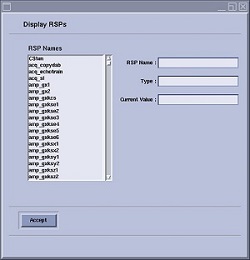
- Look at the spectrum to see if the peak you are trying to suppress is gone.
- If it no longer appears, you can leave the program.
- If a peak appears, do the following:
- In the RSP Name text box type csa and press Enter.
- CSA is a program that allows you to adjust the amplitude of the suppression pulse. Increasing the amplitude of the pulse may decrease the peak.
- Select the existing value, press Delete, and type in a new value 5 to 10 units higher or lower than the defaulted value.
- Click Accept.
- Repeat these steps until you see the smallest peak.
Figure 3. Poor fat saturation 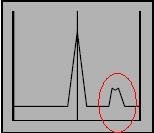
Figure 4. Better fat saturation 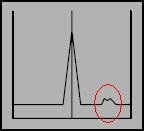
Figure 5. Fat peak sufficiently suppressed 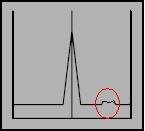
- In the RSP Name text box type csa and press Enter.