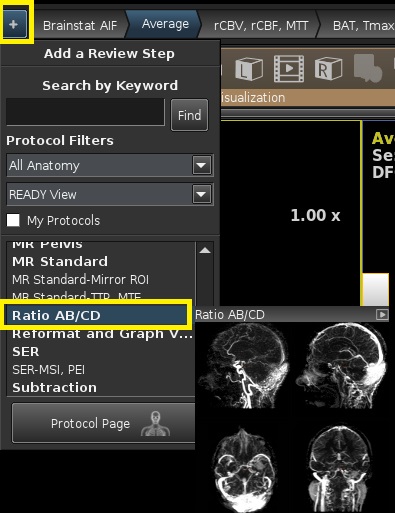
From the Add a Review Step screen, click Protocol Page.
From the Protocol page, click Ratio AB/CD.
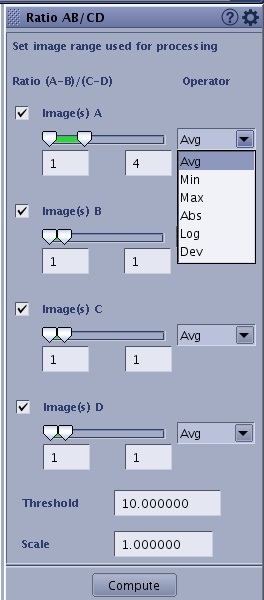
From the Ratio AB/CD screen, click and drag the double sliders to select first and last images for A, B, C, and D and select an option from the Operator menu.
Figure 2. Ratio AB/CD screen
Operators: similar to Average protocol.
Images are given from M..N, where M is the first image and N is the last image. The system uses this range of images from M to N for computation.
Threshold is used to mask out the background noise.
Output is multiplied by the Scale.
Kernel spatial smoothing can also be set in the Configure Settings page accessed from the .
Click Compute to execute the computation.
The corresponding operator is applied on images M to N (similar to that of average protocol) for all A, B, C and D inputs.
If:
the output of images A and its corresponding operator is = A
and If the output of images B and its corresponding operator is = B
and If the output of images C and its corresponding operator is = C
and If the output of images D and its corresponding operator is = D
Then the output is (A-B)/(C-D) i.e. the ratio of A-B to C-D



 .
.