- 00000018WIA30068870GYZ
- id_400220421.3
- Apr 15, 2022 4:14:17 AM
Protocol Exchange
The Protocol Exchange tool allows you to save your protocols for backup or sharing purposes between scanners in your facility or even other GE MR sites around the world. You can transfer your protocols using CD, DVD, or a device connected to a USB port. You can print protocols from any PC if you store them on a CD, DVD, or USB device and transfer the device to your PC.
In addition, you can view the contents of the protocol in a report format, add specific site information on each protocol report, and create a template for saving future reports. The reports are saved both in HTML and PDF format.
| Parameter | Description |
|---|---|
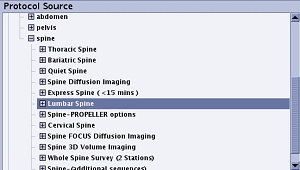
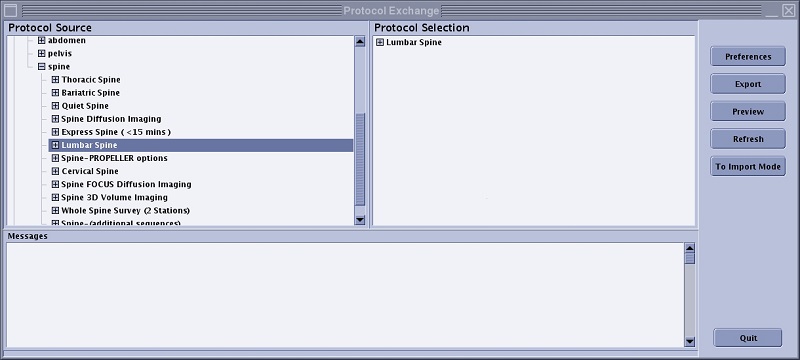
| Protocol Source
| When importing protocols, this area displays protocols on the device from which you are loading the protocols (USB, or CD). When exporting protocols, this area displays the Site and GE protocol library trees. |
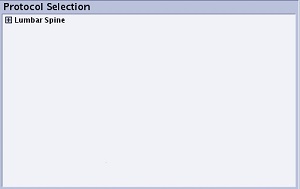
| Protocol Selection
| This area displays the protocols that are going to be imported or exported. |
| Messages area | This area displays messages related to importing and exporting protocols. For example, importing or exporting success messages are displayed here indicating that the import or export process is finished. |
| Preferences button | Preferences displays the Site Information and Protocol Fields tabs. For details, see: |
| Export button | Exports all the protocols in the Protocol Selection area to the active device. |
| Import button | Imports all the protocols in the Protocol Selection area to the Site library. |
| Preview button | Displays the format of the selected protocol in the Protocol Selection area. Only the fields selected from the Preference screen are displayed in the Preview protocol. For details, see: |
| To Import Mode/To Export Mode buttons | Allows you to switch between import mode and export mode without closing Protocol Exchange. |
| Refresh button | Updates the contents in Protocol Exchange. |