

- 00000018WIA305EF770GYZ
- id_400250851.2
- Mar 10, 2022 11:55:51 AM
Draw a shutter around anatomy of interest
About this task
Use these steps to draw a shutter around anatomy of interest and thus display it prominently.
Step-by-step instructions
- On a 3D viewport, right-click the active NO VOI annotation and select Sphere Shutter on Cursor.
Figure 1. NO VOI active annotation 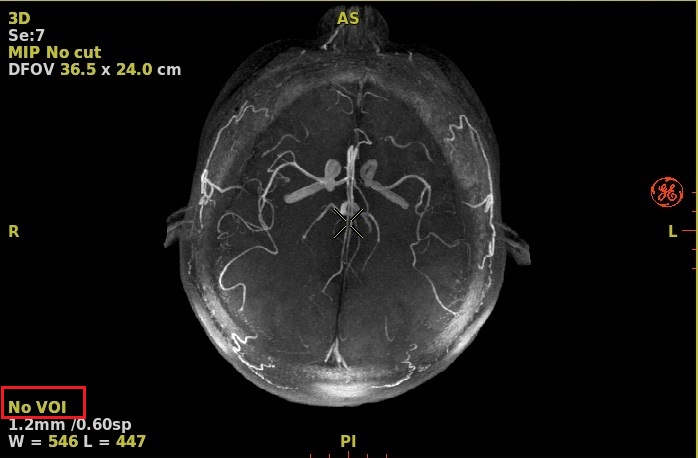
- The part of the 3D model inside the shutter sphere is displayed; the remainder is masked out. The projection of the shutter sphere on the baseline views is shown by circles on these views.
- The feature of interest in the shutter sphere is centered on the 3D cursor and follows the 3D cursor movement.
Figure 2. Shutter On 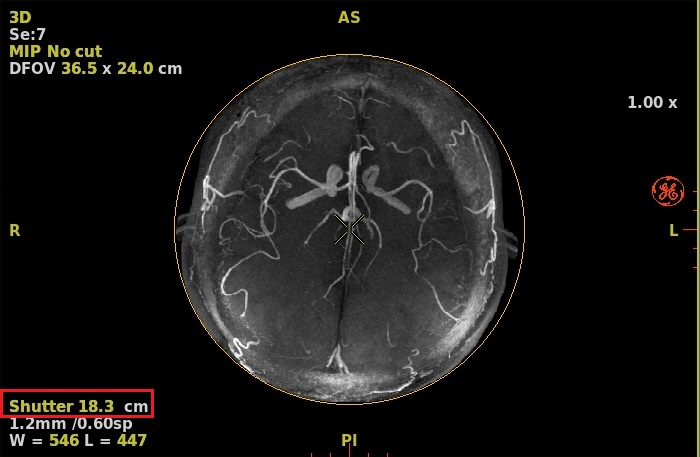
- Use the
 active annotation (in cm) to modify the size of the shutter sphere, as required.
- Left-click decreases shutter size.
- Right-click increases shutter size.
- Middle-click and drag to interactively change the shutter size.