

- 00000018WIA30E6E770GYZ
- id_400248231.3
- Mar 25, 2022 11:53:49 AM
Remote patient list
About this task
Step-by-step instructions
- From the Patient List, click the desired remote station from the Source menu.The selected remote station must have your local station as one of their remote stations.
Figure 1. Example of a Source menu 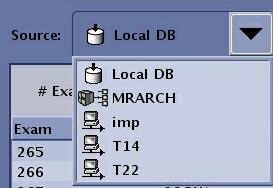
Figure 2. Example of a remote browser 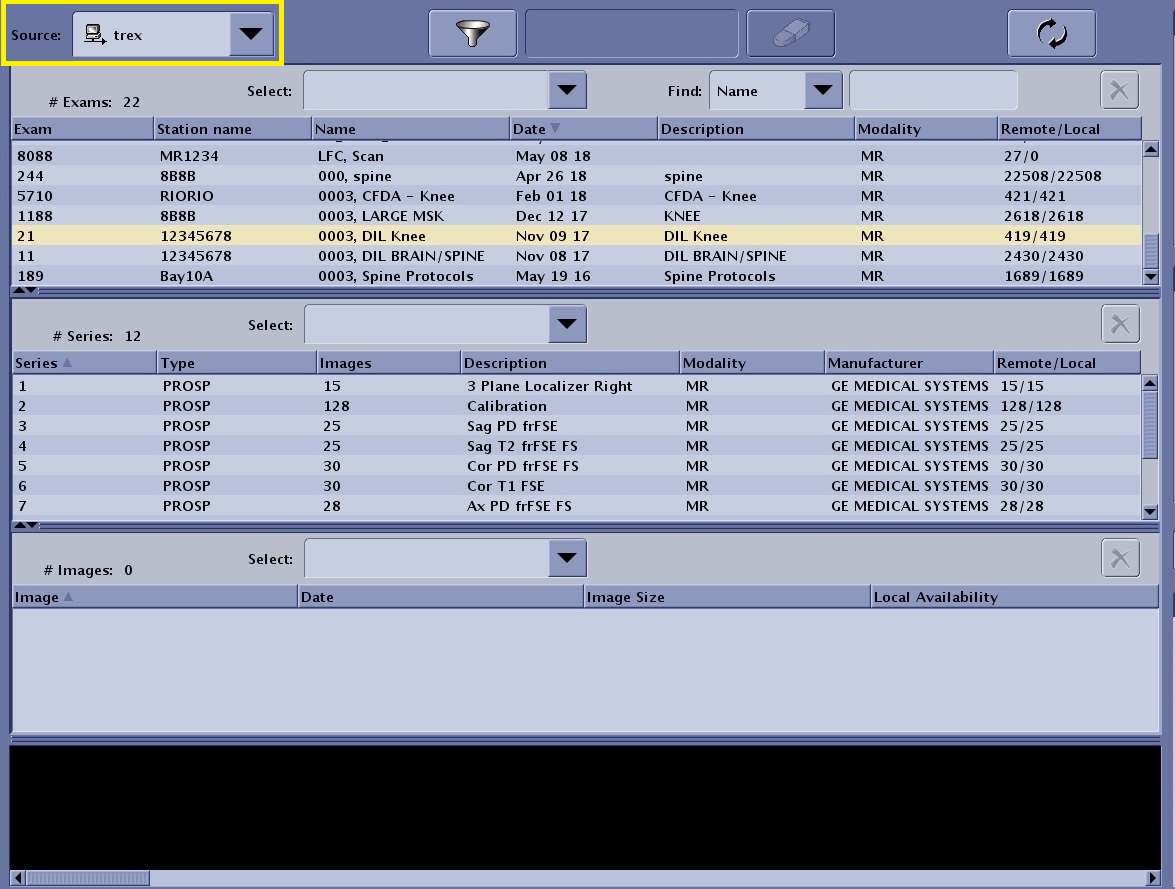
- The Source menu controls the contents of the Patient List and displays the host databases to which you are currently connected. The host data base names are also visible at the bottom of the Image Management work area. The default source list is the Local data base of your scanner.
- The
 identifies the node as a DICOM device that can be used as an archive device. Not all hosts can be used as archive nodes (for example, another MR system cannot be used as an archive node, but a PACS can be used as an archive node). To be a successful archive node, the node must meet certain DICOM requirements so that when the data is transferred from the host system to the node, the DICOM handshake can be successful. This is not necessary for networking images. The same handshake is not required. This icon is assigned if archive node is selected on the Archive Node Settings area of the Configure Network Hosts screen.
 - The
 indicates that the node is identified as a network and not archive node. The network icon is assigned if Archive node is not selected on the Archive Node Settings area of the Configure Network Hosts screen.
- Click the
 to update the values in the Remote/Local column to see the most recent transfer action.As either the remote or local data base is updated, the Remote/Local image numbers are not automatically updated and thus requires a refresh the browser action.
Table 1. Remote/Local value explanation Remote/Local examples Description Figure 3. All images transferred 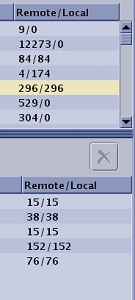
All images transferredIn this example, the selected exam has all images transferred from the Local to the Remote station as indicated by the same image number for both the Remote and Local stations (e.g. 296/296 for the exam and 15/15 for the first series.) Figure 4. No images transferred 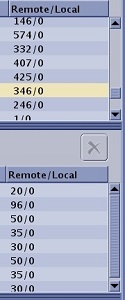
No images transferredIn this example, a "0" in the series Local column indicates that no images transferred for that series. A "0" in the exam Local column indicates that no images from the exam transferred. Figure 5. Partial image transfer 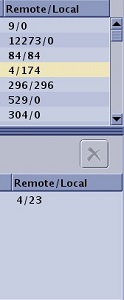
Partial image transferIn this example, the value in the Remote column is less than the value in the Local column, which indicates the following: - 4 of the total 23 images in the series transferred.
- 4 of the total 174 images in the exam transferred.