

- 00000018WIA30B1C970GYZ
- id_400233991.4
- Jun 18, 2022 2:58:36 PM
GSPS series
About this task
Step-by-step instructions
- From the header area of the screen, click the
 to open the Image Management work area.
 - From the Patient List, press Ctrl and simultaneously select the source series and the associated GSPS series from the Patient List.
Figure 1. GSPS series 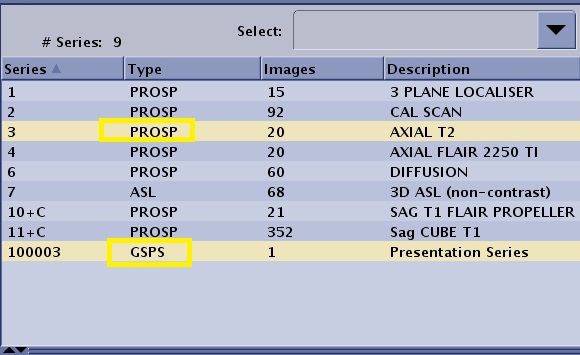
For example, select PROSP series 3 and GSPS series 10003.