If you have problems with gating, you can record the physiological gating waveforms for a maximum of 60 minutes. A GE service representative can then analyze this data, either onsite or remotely. The recording of physiological waveforms exhibiting strange behavior can greatly help in the diagnosis of system issues.
Step-by-step instructions
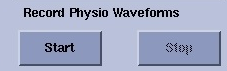
From the Gating Control screen, Record Physio Waveforms area, click Start.
Figure 1. Gating Control screen record buttons
The waveform can be recorded during a scan.
The recording starts 30 second prior to the scan start, so that a gating history can be captured in case a gating failure occurs.
Four channels (Two ECG channels, one PG channel and one respiratory channel) are recorded.
The sampling rates are fixed to cardiac = 1 ms, PG = 10 ms, Resp = 40 ms.
Click Stop to end the recording.
The recording is saved to a Service directory so that a service engineer can retrieve the data and analyze the waveform.
Note: If a TPS reset is issued before a recording is stopped, the data will be lost.