- 00000018WIA307F2870GYZ
- id_400236451.2
- Feb 11, 2022 11:37:19 AM
Open Guided Install
About this task
Step-by-step instructions
- In the header area, click the
 to open the System Management work area.
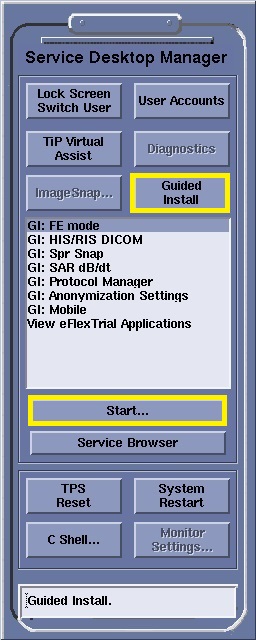
 - Click Start.
Figure 1. Example of Service Desktop Manager screen