- 00000018WIA303B0970GYZ
- id_400218231.2
- Mar 9, 2022 6:44:08 PM
Delete a Protocol or Review Step
About this task
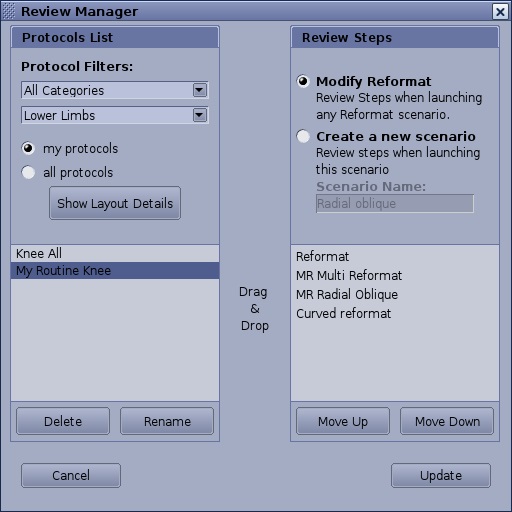
Use these steps to remove a user defined Protocol or Review Step from the Review Manager screen. Factory defined Protocols and Review Steps cannot be deleted.
Step-by-step instructions
- From the top level area of the MR General Review screen, click the
 and select Review Manager from the menu to open the Review Manager screen.
Figure 1. Review Manager screen. Note that the Update button may display Save