

- 00000018WIA309EF770GYZ
- id_400223741.2
- Mar 10, 2022 11:57:50 AM
Add a series to the study
About this task
Use these steps to add a series to the study. This allows you to stay within the application (READY View, MR General Review, Reformat) rather than exiting the application just to add another series from the exam.
Step-by-step instructions
- From the Review Steps area, click the
 to open the list of series for the currently active exam.
Figure 1. Mini-patient list 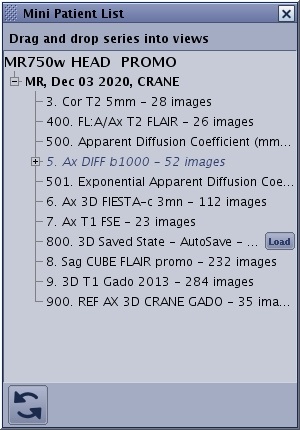
- Drag and drop one series from the list into the desired viewport.
- If needed, click the
 to update the Mini Patient List.
 - Click X in the upper right corner to close the Mini Patient List.