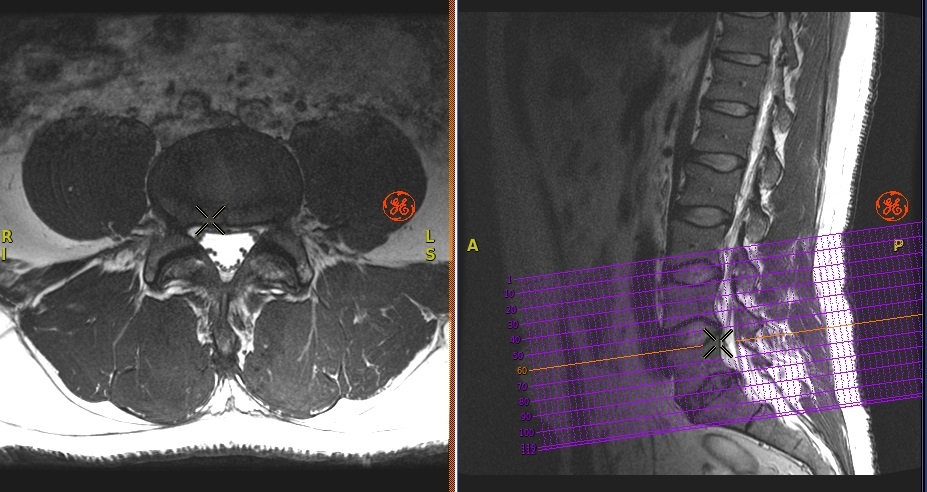
There must be multiple planes from the exam loaded into the Volume Viewer. In other words, you must have a sagittal series if you want to post sagittal lines on an axial image.
About this task
Use these steps to correlate the location of slices from once scan plane onto another scan plane. Cross-reference lines are lines marked on an image that represent where one series intersects another plane.Figure 1. Cross-Reference image
Set-up the Volume Viewer display to have multiple viewports with multiple scan planes.
Place the cursor in one of the viewports and right-click Display Properties > Show Cross- References.
Result
An orange line represents the cross-referenced image location.
Click between viewports with different scan planes to post cross-reference images.
To display single or multiple single cross-reference lines, right-click Display Properties > Show all planes or right-click Display Properties > Show only current plane.
To remove the cross-reference lines, right-click Display Properties > Hide Cross-References.