About this task
Do this task to download and install the software patch.Step-by-step instructions
- Power on the system and sign in as a member of the GESoftwareInstaller group.
If the system is already on, click the green icon in the right corner of the screen.
- In the Software Delivery Manager, select Updates.
Result
The system searches for available software updates.
- Select the software that you want to download, then click Install Now.
- In the confirmation window, select the checkbox, then click Proceed.
Figure 1. Confirmation window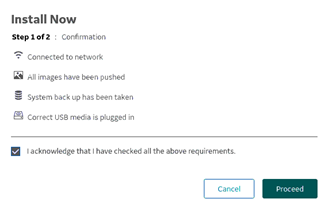
- In the progress window, select the checkbox, then click Continue.
Figure 2. Progress window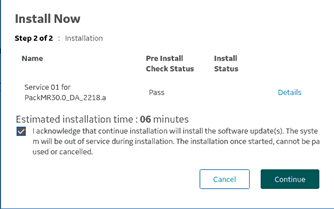
Result
- If the installation is successful, the system displays a success message.
- If the installation fails, the system displays an error message. Contact GE service.
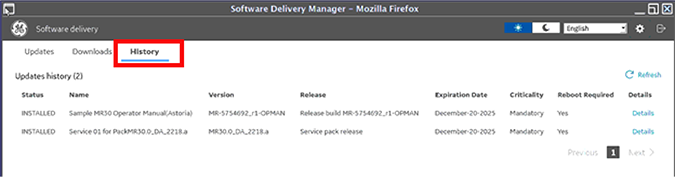
- To determine the status of the installation, click History.
Figure 3. History tab