

- 00000018WIA30A03970GYZ
- id_400258231.3
- May 10, 2022 2:12:56 AM
PC tab
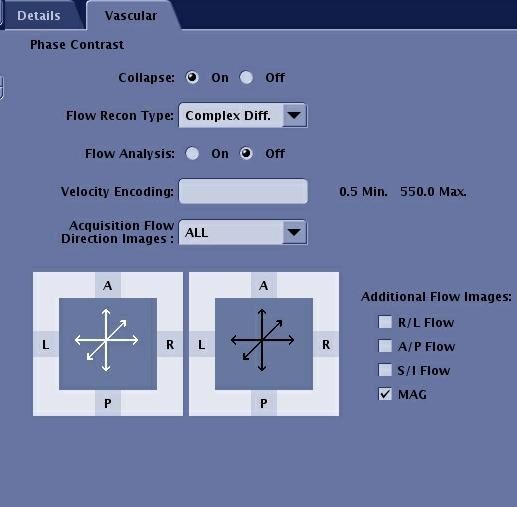
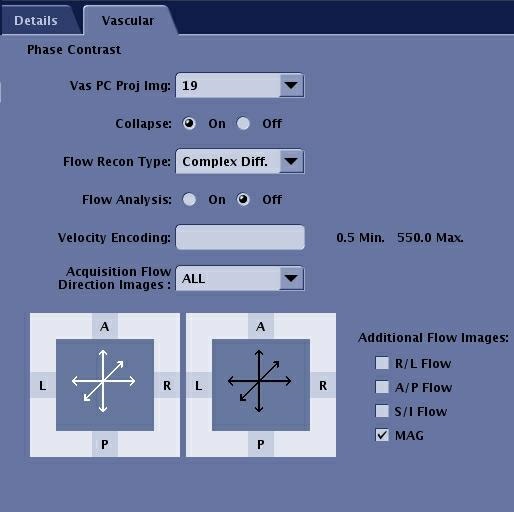
The Vascular Phase Contrast tab only appears if the protocol is a PC pulse sequence. Only the vascular selections that are compatible with the active protocol display on the Vascular tab
| Parameter | Description |
|---|---|
| Collapse | Reconstructs a collapsed view in the plane of acquisition. |
| Flow Recon Type | Phase Difference provides directional flow information. Use this reconstruction when the images are used for temporal analysis. It is the default mode. Phase Difference is recommended for slices/slabs less than 20 mm thick. Complex Difference provides increased background suppression by the system automatically applying a slab dephasing gradient to help suppress stationary tissue. Use as the slice thickness increases above 20 mm. Complex Difference results in bright signal for all flow regardless of direction. |
| Flow Analysis | Choose Phase Diff and Flow Analysis if images are to be used for flow measurements. |
| Velocity Encoding | In general, set the Velocity Encoding value to allow for the highest velocities in the vessel of interest. A VENC value set too low results in flow aliasing. For more VENC details, see PC: VENC scan. |
| Acquisition Flow Direction Images | Choose a single direction to decrease scan time and decrease recon time. Choose All and directional flow images are available if Phase Diff or Flow Analysis recon was selected. |