

- 00000018WIA3086E770GYZ
- id_400256971.1
- Jan 28, 2022 4:47:08 PM
Patient list procedures
The following steps are detailed in this topic:
- Thumbnail image adjustment
- Find an exam
- Sort the data
- Filter the Patient List
- Remove a filter
- Refresh the Patient List
- Resize Patient List columns
- Remove images
- Keyboard shortcuts
The Patient List is part of the Browser. To open the Browser, click the  in the header area of the screen.
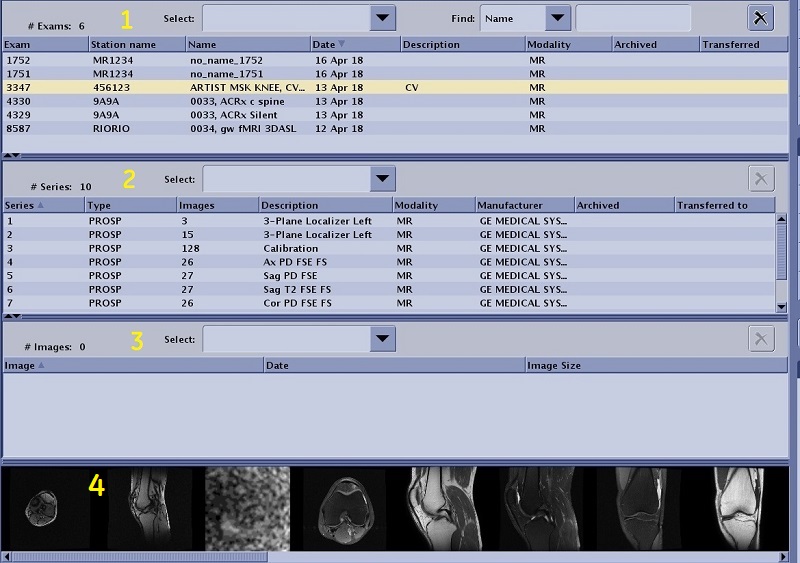
| Number | Description |
|---|---|
| 1 | Exam area displays the total number of exams listed in the currently selected data base. |
| 2 | Series area displays the total number of series listed in the currently selected exam. |
| 3 | Image area displays the total number of images listed in the currently selected series. |
| 4 | Thumbnail area |